
Side-by-side review

Dubly.AIreview & best alternatives

Reach a larger audience with video dubbing and translation. Review Dubly.AI features and see how it compares with Dub AI.

View comparison
Dubly.AI logo

Dubly.AI

Dub AI logo

Dub AI

At a glance

Product overview

A quick look at Dubly.AI and Dub AI before we compare the details.
Dubly.AI logo
Product A

Dubly.AI

Dubly.AI is a professional AI video translation tool designed to bring AI dubbing to a professional environment with all the features needed for a scalable workflow. It offers authentic translations, ease of use, and customizable glossaries for specific terms.

Dub AI logo
Product B

Dub AI

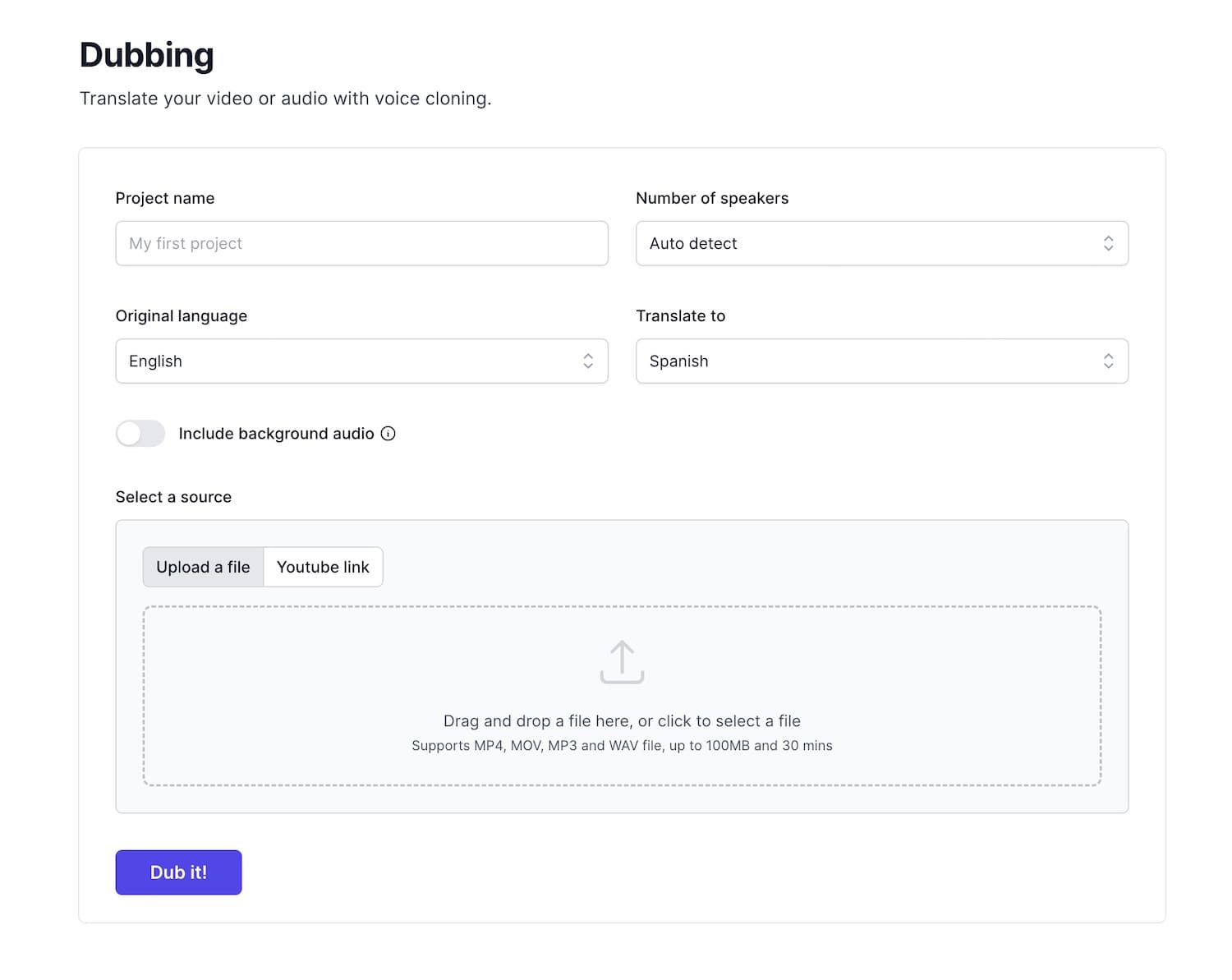
Dub AI translates and dubs videos into more than 40 languages. Upload a video, choose a language, and download the result. The dubbed version keeps each speaker's voice.

Feature by feature

Key feature comparison

Compare the capabilities that matter most in a video translation and dubbing tool.
Feature comparison between Dubly.AI and Dub AI
Dubly.AI logo
Dubly.AI
Dub AI logo
Dub AI
Comparison
Features
Instant Video Translation
Translate videos to your desired language in minutes with AI.
Included in Dubly.AIIncluded in Dub AI
Natural Sounding Voice Cloning
Keep each speaker's voice in the dubbed video.
Included in Dubly.AIIncluded in Dub AI
Multi-Speaker Support with Detection
Find and dub up to 10 speakers in one video.
Not included in Dubly.AIIncluded in Dub AI
Customizable Transcripts and Subtitles
Access to translated transcript and subtitle files, allowing for custom editing and flexibility.
Included in Dubly.AIIncluded in Dub AI
Secure Data Storage and Privacy
Does not use your data for AI model training, ensuring complete control and protection of your content.
Included in Dubly.AIIncluded in Dub AI
How it works

Dub your video with 3 easy steps.

Create high-quality dubbed audio or video in a few clicks.
  1. Step 01

    Upload file

    Upload an audio or video file from your device.

  2. Step 02

    Instant dubbing

    Let AI translate and dub your content into the language you choose.

  3. Step 03

    Download assets

    Download transcripts, audio clips, and your final dubbed audio or video.

Creator stories

Loved by creators worldwide.

Don't just take our word for it, see what our customers have to say!
@ScalingwContentEnglish
@gumytutorielsFrench
    • I was needing to translate audio with a natural sounding speaker but it was hard to find a good AI program that didn't sound like a robot. Dub AI sounds extremely natural!
      KonaruhiContent creator
    • The voice clone is unbelievable. My audience actually thought it was me speaking Japanese in the video.
      Viktor H.Video creator
    • Oh wow. My feedback is good!!! That was a noisy recording that the person made driving a car with a standard shift. It came out really clear. Really!!
      Peggy G.Educator
    • I'd like to say that I've tried a lot of AI dubbing software and yours is CLEARLY the best. Yours is doing exactly what I want, simple and quick.
      @gumytutorielsTutorial creator
    • Amazing product! It has saved us so much time to translate our marketing videos to different languages.
      Tom R.Marketing lead
    • I have many friends who speak Chinese. I run a youtube channel giving philosophy lectures in English. My friends have been asking me to translate my videos into Chinese so they can enjoy them as well. Dub AI was the perfect tool for this purpose!
      @TranscendentPhilosophyPhilosophy creator
Questions, answered

Frequently asked questions

Everything you need to know before creating your first dub.
Yes. Create an account and get 60 credits free. That covers up to one minute of dubbing. You do not need a credit card. Buy more credits only when you need them.
Your next audience is waiting

Start dubbing your videos today!

Create a dubbed version in more than 40 languages.

Start dubbing free

Get 60 credits free. Dub up to 1 minute. No credit card needed.